03 / COMPATIBILITY
Adapters & Library
Adapters translate Kontrol’s actions into the target application’s input model. Library is the place to discover, install, activate, update, and remove them.
Install from the catalog
- Open LibraryChoose Library in the left navigation.
- Find the adapterLocate a supported application and compare its target application version with the detected application version.
- Download & Activate AdapterUse the catalog action. Wait for the success confirmation, then return to Dashboard.
- Verify active statusConfirm the installed version and compatibility state are shown as active.
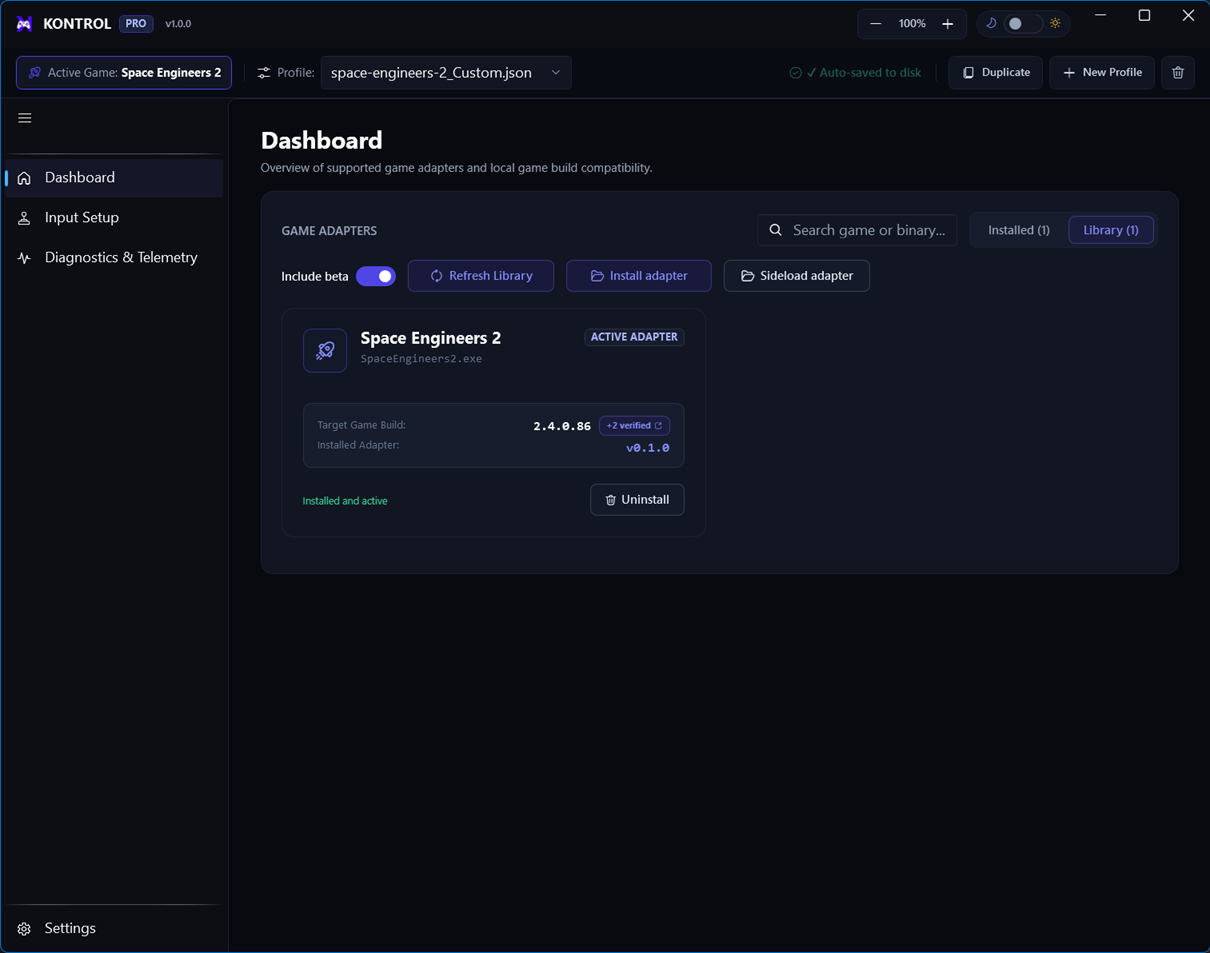
Adapter lifecycle
Use the installed adapter card to activate a version, update to a newer catalog release, or remove an adapter you no longer need. Keep one known-good version available when testing a new application version.
Catalog release
Published package with compatibility metadata and a supported application version.
Installed
Package is present locally but may not be the active version.
Active
The adapter selected for deployment and target application interaction.