04 / DEVELOPMENT
Sideload an adapter
Sideloading is intended for local development and testing of adapter ZIP packages.
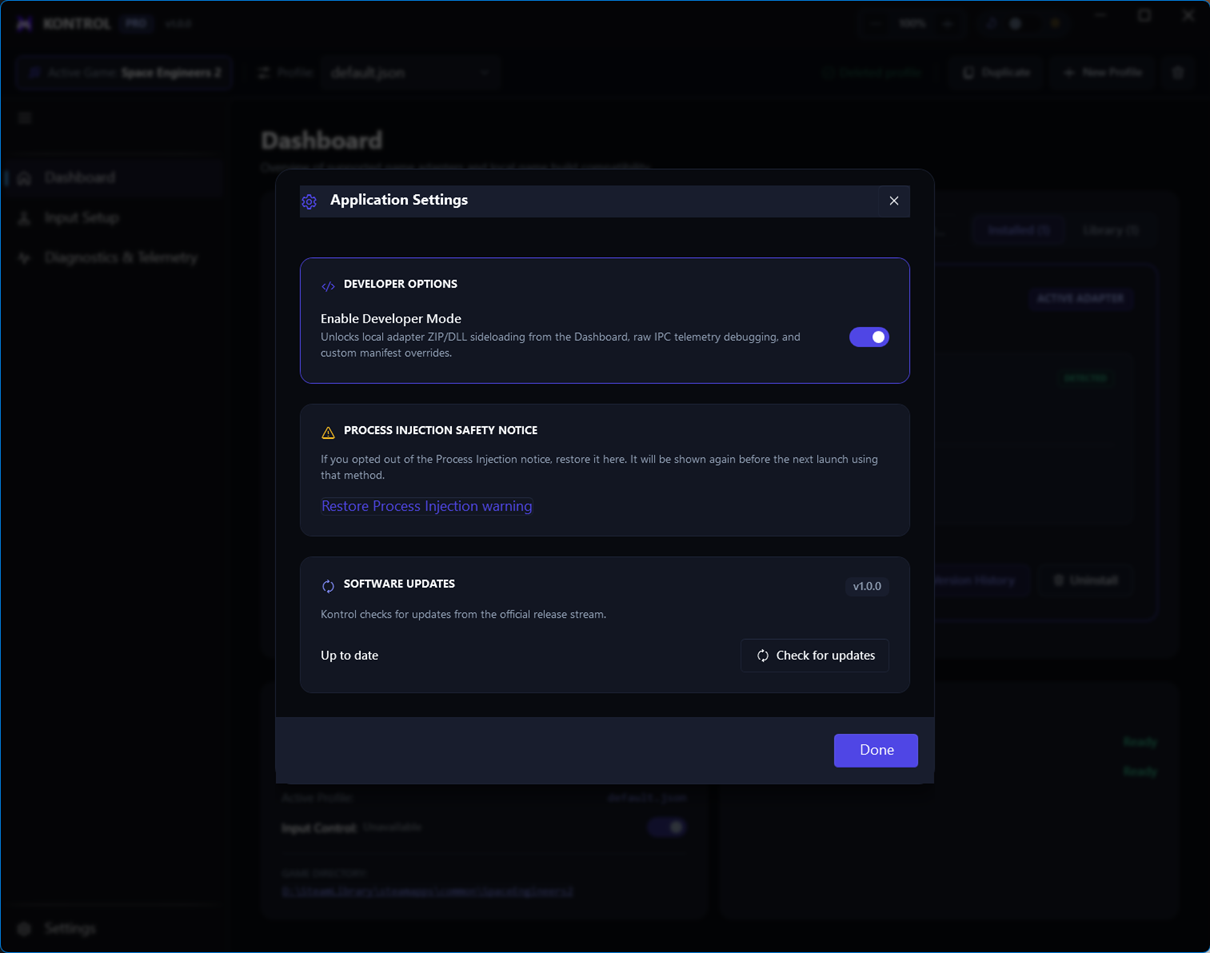
Developer Mode is required
Unsigned adapter files cannot be sideloaded until Developer Mode is enabled in Application Settings. Turn it on before opening the sideload flow.
Step by step
- Open SettingsGo to Application Settings and enable Developer Mode.
- Open LibrarySelect Sideload Package…
- Choose the ZIPIn the custom Sideload adapter dialog, choose the adapter ZIP file.
- Confirm installationReview the package information and complete the install. A success dialog confirms the adapter is installed.
- Activate and verifyActivate the package from Library, then confirm Dashboard shows it as active.
Example local package: