01 / FIRST RUN
Getting started
Start from a clean default profile, then confirm the app can see your target application and controller devices.
First launch
- Run KontrolOpen the Debug-folder executable in the interactive desktop session.
- Complete the first-run agreementRead and accept the EULA when it appears.
- Stay on the default profileNo profile, binding, or adapter customization is required before setup.
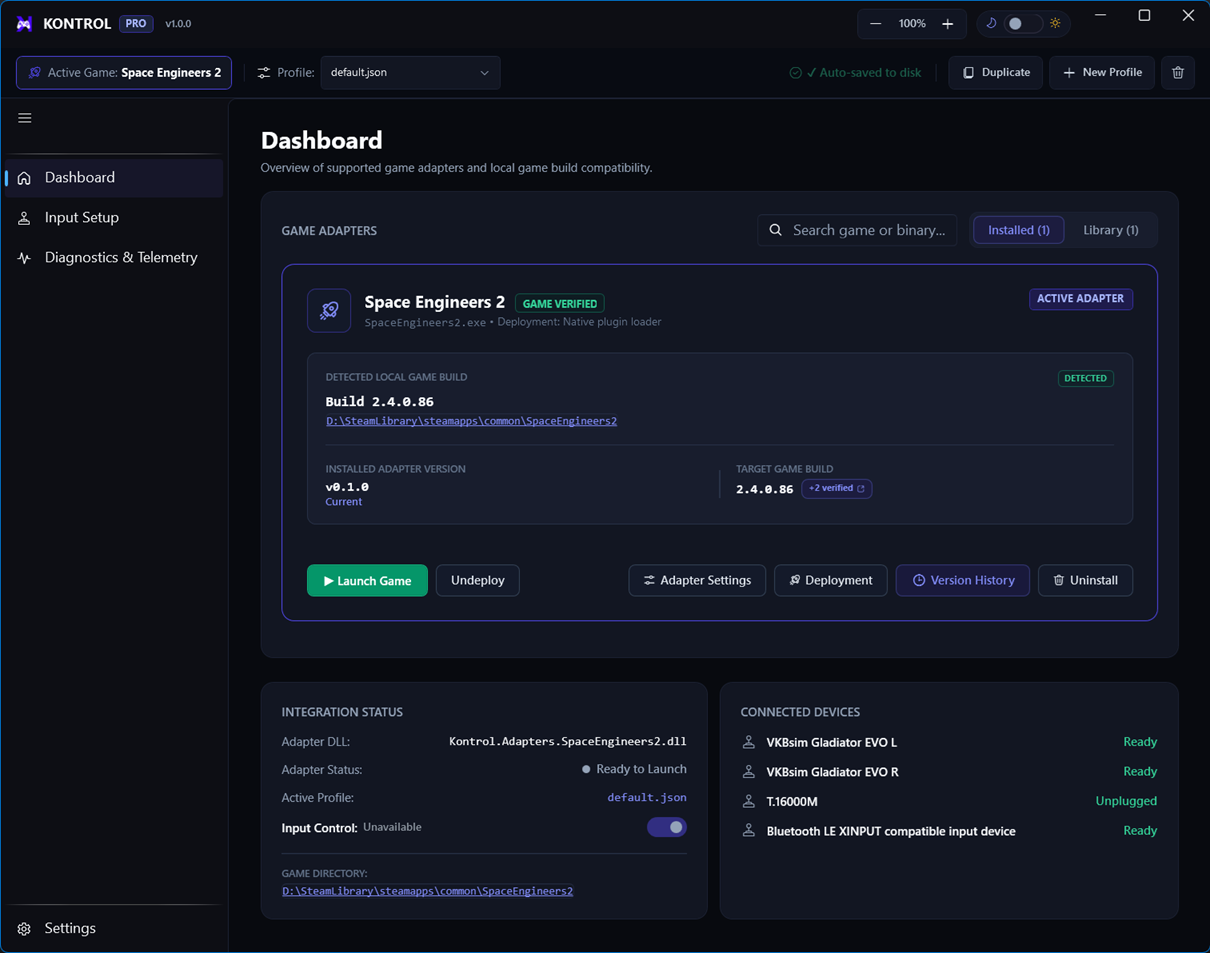
- Check the DashboardUse the status cards to confirm the host is ready, the application version is detected, and the active adapter is shown.
Main views
Dashboard
Readiness, active profile, adapter state, detected application version, and quick actions.
Input Setup
Mapping and Calibration tabs, action filters, live input monitoring, and per-action details.
Library
Catalog downloads, installed adapters, activation, versions, and sideloading.
Settings
Application behavior, developer mode, diagnostics, and other host preferences.