05 / INPUT SETUP
Input setup
Input Setup is where you map physical controls to Kontrol actions and calibrate their behavior.
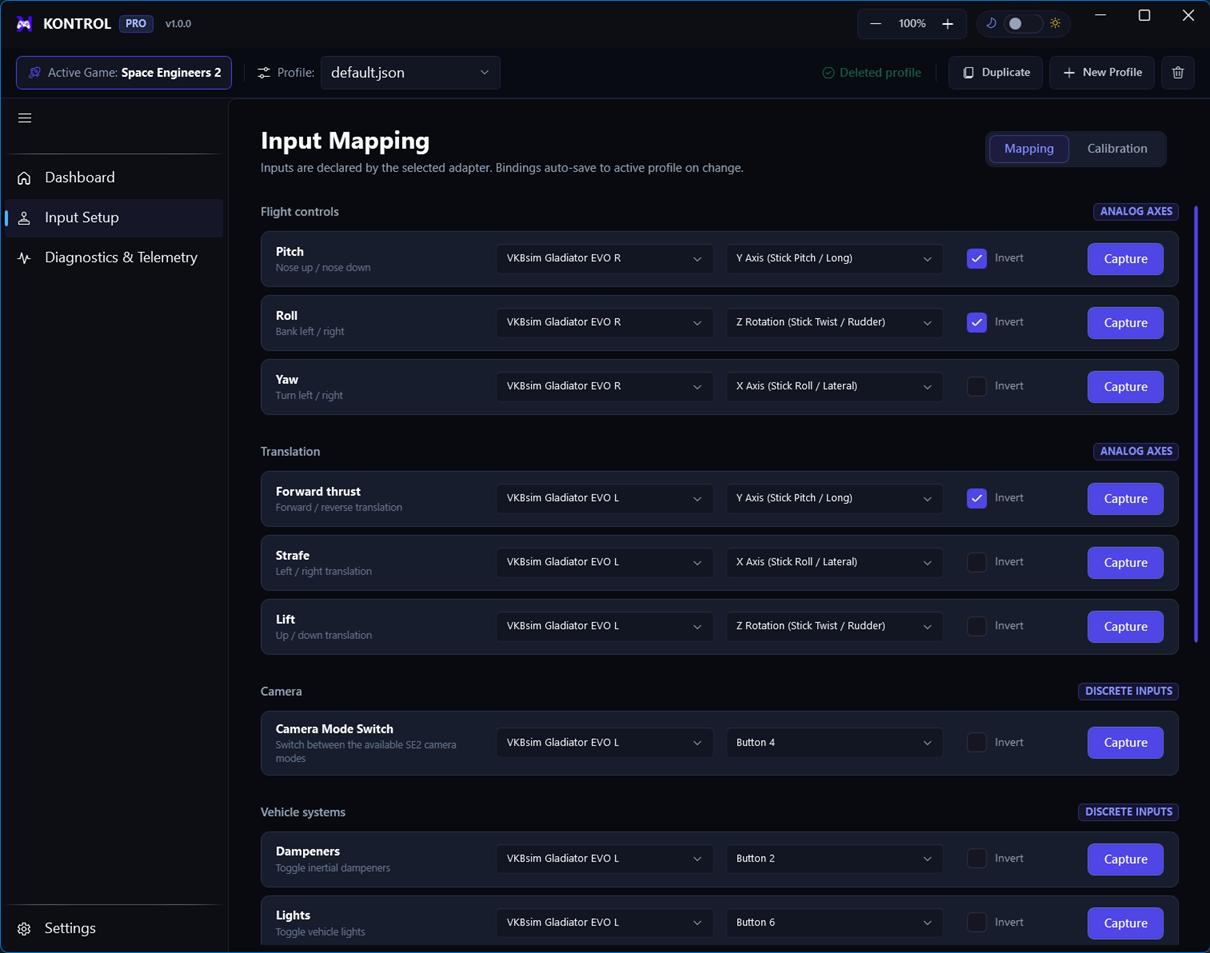
Orient yourself
Send Inputs Live
Use this runtime view to observe input activity while testing the active configuration.
Mapping
Assign axes and buttons to named actions, then tune direction and deadzone behavior.
Calibration
Center and normalize hardware ranges before judging the quality of a binding.
Reliable setup order
- Connect hardware firstMake sure your VKB sticks or other devices are visible to Windows.
- Select a categoryUse filters to reduce the action list to flight, vehicle, or system controls.
- Open action detailsConfigure from the action’s detail drawer rather than guessing from a live signal.
- Test liveReturn to Send Inputs Live and confirm the expected action responds.